No forever-subscriptions
Time-based licenses only. When the clock runs out, the app stops. Buy again when you need it.
Profiles
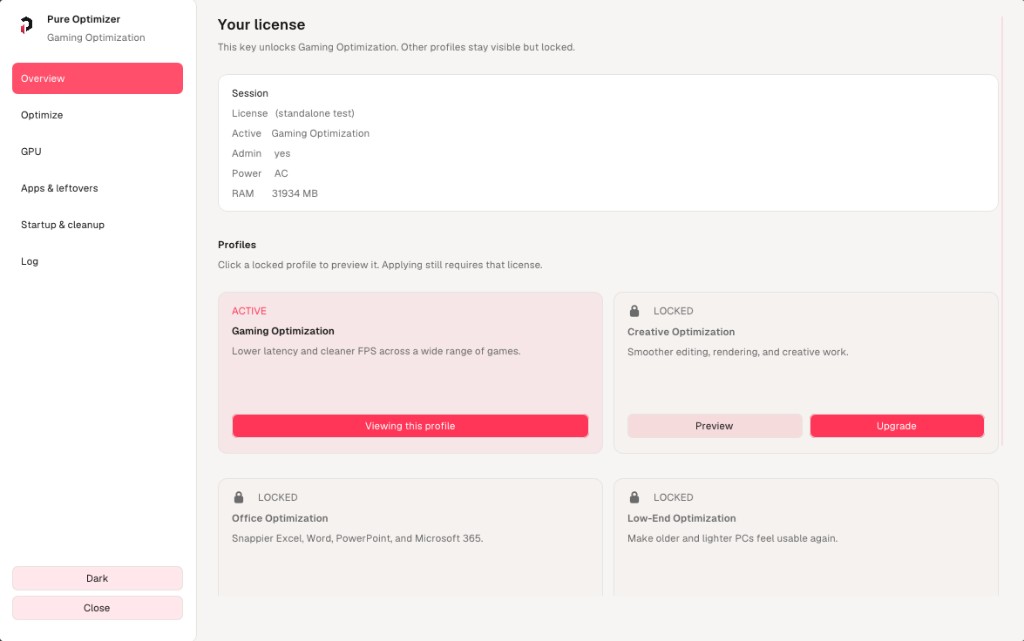
Each product is a Windows profile for a different way you use your PC. Pick gaming, creative work, Office, or low-end hardware.
Snappier Excel, Word, PowerPoint, and Microsoft 365.
From cart to tuned in 90 seconds
01
Pick a product and a duration. Secure checkout accepts cards, wallets, and crypto. Your license key appears on the receipt page and in your inbox the moment payment clears.
02
Download the loader from this site, then paste your key into the app. It checks the key once, then works fully offline for the rest of your license.
03
Hit Apply. Pure Optimizer creates a restore point, logs every change, and hands you the difference. Don't like it? Rollback reverses everything.
Time-based licenses only. When the clock runs out, the app stops. Buy again when you need it.
Every registry key, service, and setting we touch is written to a plain-text audit log. Read it. Copy it. Diff it.
Every apply is paired with a restore point. If something breaks, hit Rollback and you're back to exactly where you started.
Frequently asked
Windows 10 (build 1909+) and Windows 11, on x64. Windows Server is not officially supported.
Yes. Pure Optimizer edits registry keys, services, and power profiles that require an elevated process. The installer asks once at launch.
Checkout is handled by our payment processor — we never see or store your card details. Cards, Apple Pay, Google Pay, and crypto are supported. Your license key is emailed the moment payment clears.
The app stops applying profiles and switches into read-only mode so you can still view your audit log and roll back changes. No profiles are silently reverted — you stay in control.
Yes. Each key is tied to one active machine, but you can deactivate on one and activate on another from the app's settings.
Pure Optimizer is signed. Some tweaks touch areas Defender is protective of (services, registry), so a fresh install may occasionally trigger a heuristic warning — click Allow. The app is fully open about every change it makes via the audit log.
Refunds are handled through the checkout provider's standard policy. If a license doesn't activate or the app doesn't run on a supported system, email support and we'll make it right.
Support
Email us for support and updates, or grab the loader once you have a license key.